QR Code Menus for Restaurants: How to Do Them Right
QR code menus can cut printing costs and speed up service, but only if you avoid the common mistakes. Here is how to set one up the right way.
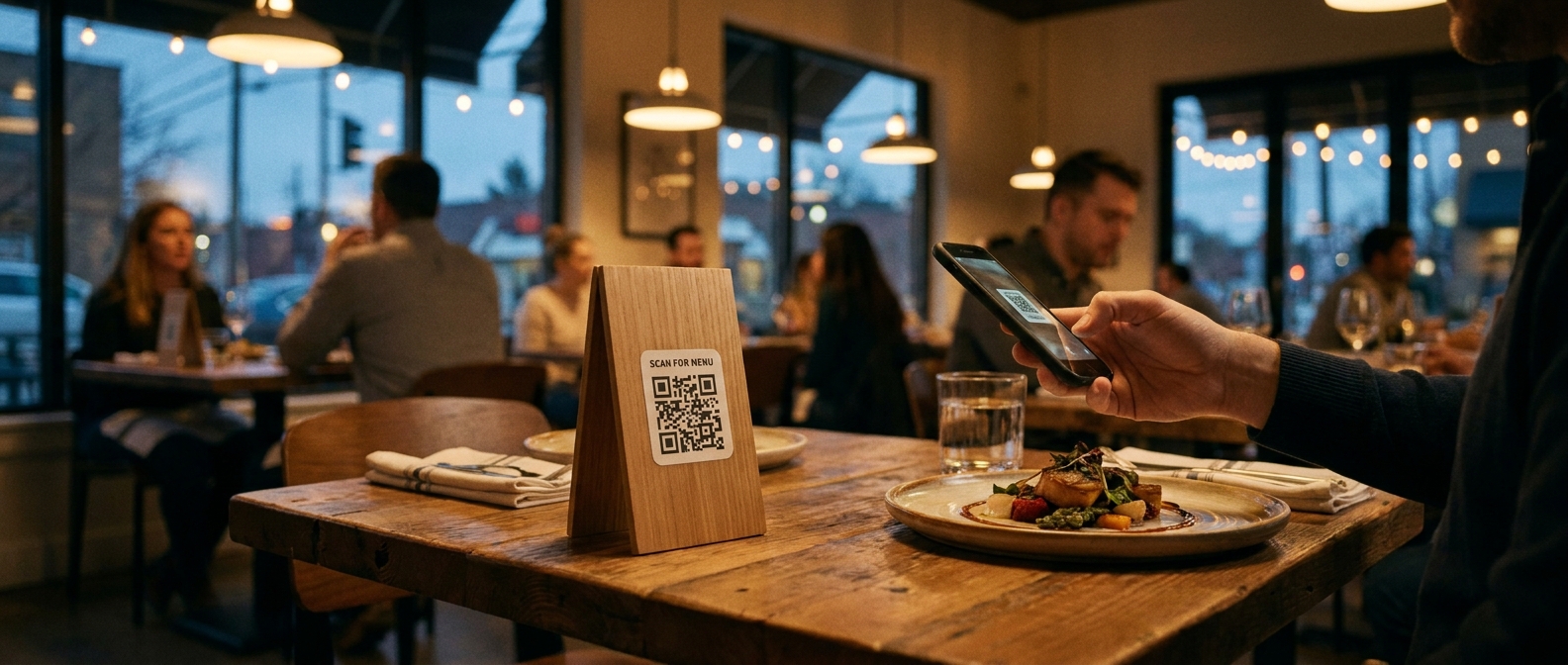
QR code menus showed up in every restaurant almost overnight in 2020, and half the industry adopted them badly. A QR code slapped on the table that opens a giant PDF, or a link that dies when someone stops paying for a menu-hosting subscription, trained a lot of diners to dread the little square.
Done right, though, a QR code menu still earns its place. It cuts printing costs, lets you update prices in minutes instead of reprinting, and keeps your menu readable when the laminated copy has ketchup on it. Done wrong, it costs you orders from anyone over 40 and quietly damages your search visibility.
Here is how to set up a QR code menu the right way, and the mistakes that separate a smooth experience from a frustrating one.
Why QR Code Menus Still Make Sense
The pandemic made QR menus a health measure, but the reasons to keep one are practical:
- Printing costs drop. Menu prices change constantly. Food costs, seasonal items, and supplier hikes all force reprints. A digital menu updates in seconds and costs nothing per change.
- Instant price and availability updates. 86 the halibut at 7pm? Change it on the site instead of telling every server to memorize it.
- Fewer surfaces to sanitize and fewer menus to juggle. Servers stop tracking down lost menus between tables.
- Easy additions. Link the same code to a wine list, dessert menu, allergen information, or an ordering page without reprinting anything.
The mistake is treating the QR menu as a replacement for everything. Most restaurants do best with both: a QR code for convenience and updates, plus a handful of printed menus for guests who want them.
The Mistakes That Ruin QR Code Menus
Most bad QR menu experiences trace back to a handful of fixable problems.
1. Linking to a PDF
This is the big one. A QR code that opens a PDF forces phone users into a pinch-and-zoom reading experience that was designed for paper. The file can be slow to load on cellular data, often triggers a download instead of opening cleanly, and carries none of your website's branding or navigation.
It also hurts your SEO. Search engines cannot reliably parse a PDF the way they read a web page, so the dishes you are famous for stay invisible to people searching "best birria tacos near me." If your QR code points at a PDF, fixing that single link is the highest-impact change you can make.
2. Making Diners Jump Through Hoops
Every extra step loses people. The worst offenders:
- Requiring an app download before the menu appears
- Email capture walls that block the menu entirely
- "Scan and order" flows that never actually show the full menu with prices
- A QR code so small or low-contrast that nobody can scan it from a seated position
The menu should appear within a second or two of the scan, load on any phone, and never ask for anything first. Diners who came in to eat are not going to hand over an email address to read your starters.
3. Forgetting Guests Without Smartphones
Not everyone scans willingly, and some guests cannot. A table with no printed menu and a QR code on a stand creates an awkward moment for older diners, anyone with a dead battery, and international visitors without data service. Keep printed menus available on request, and train staff to offer one without making anyone feel like a burden.
4. Letting the Link Die
QR menu services come and go. Restaurants switch website providers, cancel a subscription, or move to a new domain, and the QR codes on 40 table tents keep pointing at a dead page. Build a QR menu audit into your routine: scan your own codes every couple of months, and use a URL you control (your own domain) rather than a menu-hosting service's link, so you can redirect it if you ever switch tools.
5. No Backup Plan When the Internet Fails
Your POS and menu might be cloud-based, but your dining room is not. If your wifi drops, a QR-only setup means servers reciting the menu from memory. Printed menus are your offline redundancy, which is another reason not to throw them out entirely.
How to Set Up a QR Code Menu the Right Way
Step 1: Build the Menu as a Real Web Page
Your menu should live on your own website as a mobile-friendly HTML page, not a PDF and not a third-party hosting site. That means:
- Large, readable text on a phone-sized screen
- Prices next to every item
- Descriptions that are complete enough to order from
- The page loads in a couple of seconds on cellular data
- It works with the phone's built-in camera, no app required
If you already have a restaurant website, this is usually just a matter of building one clean menu page. Keeping it on your domain also means the page collects search traffic: people searching for specific dishes can find you, and Google can show your menu in local results.
Step 2: Generate the QR Code and Test It
Any free QR generator works, since the code itself is just a link. Two things matter:
- Point it at your final URL, not a redirect chain. Fewer hops means faster loading and fewer future break points.
- Test it under real conditions. Sit where a guest sits, dim lighting included, and scan with both iPhone and Android. The code should scan from a normal seated posture without anyone leaning over the table.
Print the code at least an inch square with quiet space (the blank margin) around it. Codes crammed into a corner of a table tent, or printed over a busy background, fail constantly.
Step 3: Put It Where the Guest Expects It
Good placements: table tents, a sticker on the table, the back of the printed menu, the receipt, and your front window for walk-bys. The front window placement matters more than most owners realize: someone deciding whether to come in can scan and see your food and prices before committing.
Step 4: Keep One Source of Truth
Your printed menu, website menu, QR menu, Google Business Profile menu, and delivery platforms should all show the same items and prices. The most common failure is a digital menu that drifts out of date, showing an item the kitchen no longer makes. When you change the menu, change it everywhere in the same sitting, or pick one system that syncs your menu across your website and ordering page automatically.
Step 5: Use the Menu as a Sales Tool
Once the menu is a real page on your site, you can do things paper never could:
- Link popular items directly to online ordering for takeout
- Add appetizing photos of your top dishes
- Highlight daily specials without reprinting anything
- Track which dishes get the most views and put the winners on your table tents
QR Menus and Online Ordering: Different Jobs
A QR menu answers "what do you have and what does it cost?" for someone sitting at your table. An online ordering page takes orders. They are related, but do not confuse them.
Some restaurants replace their menu with an ordering flow, which frustrates dine-in guests who just want to read before choosing. Others put a bare PDF where an ordering page should be, which frustrates takeout customers. Keep both experiences, clearly separated: the menu page for browsing (with a link to order), and the ordering page for transactions.
If you are setting up direct online ordering anyway, platforms like SendFoodOrder include a mobile-friendly web menu as part of the ordering site, so one QR code can serve dine-in browsers and takeout customers without a PDF in sight.
Quick Checklist
Before you roll out or fix your QR code menu, confirm:
- [ ] It opens a real web page on your own domain, not a PDF
- [ ] The menu loads in under 3 seconds on a phone with no app or signup
- [ ] Prices appear next to every item
- [ ] Printed menus are still available for guests who want them
- [ ] The code is at least an inch wide with clean margins and scans from a seated position
- [ ] You have scanned every live code yourself within the last 3 months
- [ ] The website menu, printed menu, and Google Business Profile menu match
- [ ] The page is findable on your site navigation, so it collects search traffic too
A QR code menu is a small piece of operations, but guests interact with it on every visit. Get it right and it saves money on printing, keeps your menu current, and quietly feeds your search visibility. Get it wrong and it is a small daily friction that adds up. The fixes above take an afternoon.
Free Website Offer
Get a modern website for your restaurant with zero cost and no monthly fees
We design and host your menu, hours, and photos on a custom domain. Keep 100% of your food sales, with optional online ordering when you are ready.