Google Business Profile for Restaurants: Setup & Optimization Guide
A complete guide to setting up and optimizing your restaurant Google Business Profile to drive direct phone calls, foot traffic, and orders.
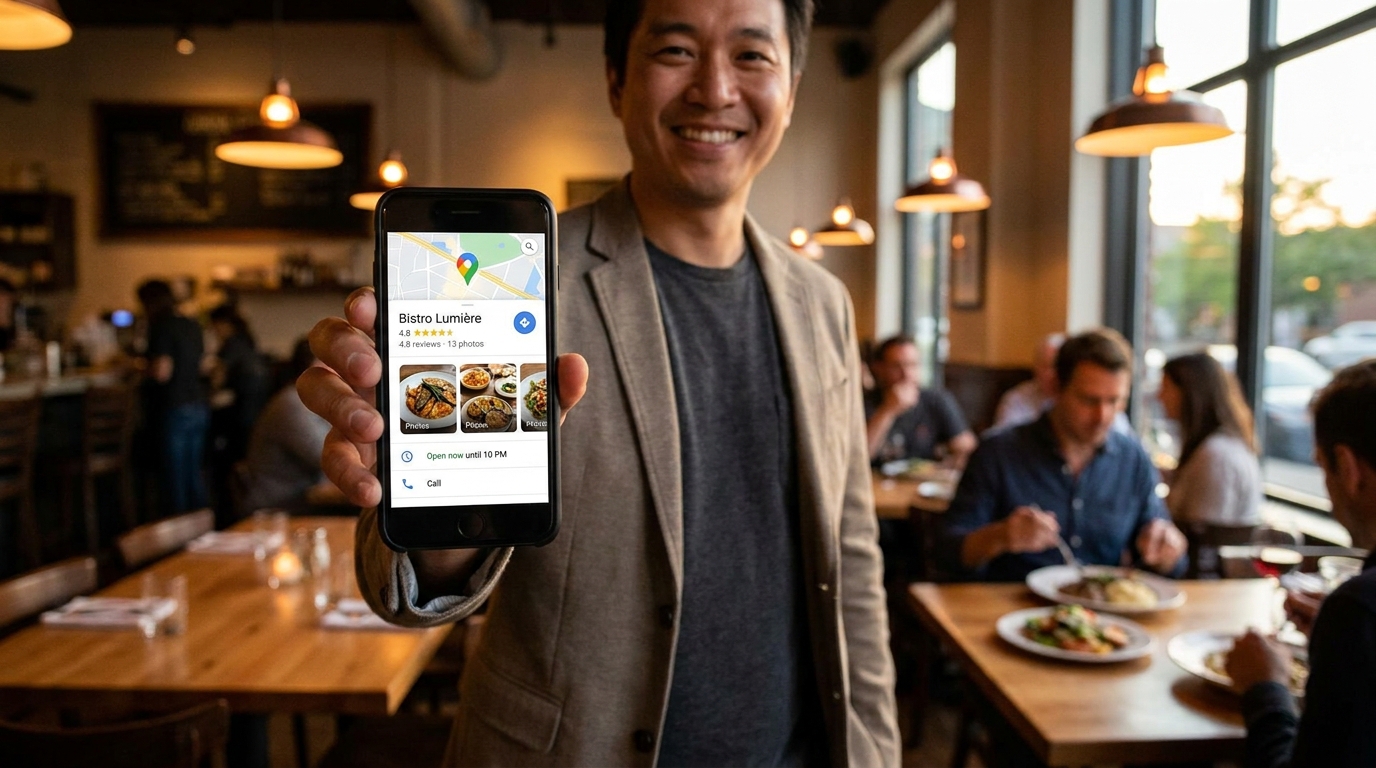
Before a hungry diner ever reaches your website, they see your Google listing. Search a restaurant's name and the panel that appears, complete with photos, reviews, hours, and a call button, is its Google Business Profile. For local searches like "tacos near me" or "breakfast downtown," that panel is often the entire search experience: diners check the rating, glance at two photos, tap call or directions, and make a decision. A large share of them never click through to a website at all.
That makes a Google Business Profile the highest-value piece of free marketing a restaurant owns. It is also the most neglected. Listings everywhere show outdated hours, three photos from 2021, unanswered reviews, and no menu. Every one of those gaps is a diner who taps the next result instead.
Here is the complete setup and optimization guide, ordered from first-time setup to the monthly habits that keep a profile bringing in phone calls, foot traffic, and orders.
What Each Part of Your Profile Actually Does
| Profile element | What it drives |
|---|---|
| Complete business info (hours, phone, address) | The relevance data Google needs to show you for nearby searches |
| Fresh photos | Clicks and direction requests; active listings earn more of both |
| Reviews and owner replies | Trust at the moment of decision, plus a local ranking signal |
| A real menu | Matches dish-specific searches like "birria tacos near me" to your listing |
| Posts and Q&A | Answers hesitations before they cost you a table |
None of this costs money. The work is an afternoon of setup plus roughly an hour a month, and it compounds: every completed field, review reply, and new photo makes the next ranking gain a little easier.
Before you start, gather what you will need: your exact business name and address, a phone number someone actually answers, your website URL, your menu (names, prices, descriptions as text), and 10 to 15 good food and interior photos.
Step 1: Claim and Verify Your Listing
If your restaurant shows up on Google Maps and you have never touched the listing, someone else may control it, or nobody may. Search your restaurant name on Google. If the panel shows an "Own this business?" link, click it and claim the profile. If a previous owner or an old marketing agency still holds access, use Google's business recovery process to request it back.
Verification is usually a postcard, phone call, email, or short video depending on your business, and it can take several days. Start here before anything else, because nothing in this guide can be done until the profile is verified.
Once you are in:
- Use your real, exact business name. Not "Maria's Cantina | Best Tacos in San Antonio." Keyword-stuffed names violate Google's guidelines, invite competitor reports, and can trigger suspensions that take weeks to appeal.
- Set the website link to your actual website, not a Facebook page.
- Add managers who need access, and keep the owner account with you or someone you trust. Locked-out owners are a common and avoidable disaster.
Step 2: Fill In Every Single Field
Google rewards complete listings because complete listings answer searchers' questions. Work through the dashboard top to bottom:
- Primary category. The strongest single relevance signal you control. Pick the most specific accurate option: "Tex-Mex restaurant" beats "restaurant." Add secondary categories where they are true, such as "Breakfast restaurant," "Bar," or "Caterer."
- Hours. Include separate blocks for lunch and dinner if they differ, plus holiday and special hours. Wrong hours are the fastest way to earn a one-star review that reads "Google said you were open."
- Phone number. A local number with your area code that rings a line someone answers. Keep it identical everywhere it appears online.
- Website link. Your homepage or your location page. Step 7 shows how to make this link measurable.
- Attributes. Outdoor seating, wheelchair accessible entrance, free Wi-Fi, curbside pickup, family friendly, and anything else that applies. These feed Google's filter chips like "patio" and "takeout," which many diners use to narrow results.
- Business description. You get 750 characters. Say what you are known for, name your neighborhood, and write it for humans first, Google second.
- Opening date. Anniversaries make easy Posts material later.
A complete profile takes one focused afternoon, and it is the highest-return afternoon you will spend on marketing this quarter.
Step 3: Publish a Real, Readable Menu
Google lets restaurants add menu items directly on the listing, and it uses that text to match dish searches to your restaurant. A diner searching "best birria tacos near me" can only find you if the words "birria tacos" exist somewhere Google can read.
- Enter dish names, short descriptions, and prices as text in the menu section. Do not upload a photo of your paper menu and call it done.
- Link to your website's menu page as well, so diners who tap through land somewhere clean and fast.
- Never rely on a PDF. Diners on phones will not pinch and zoom through a scanned menu, and Google cannot index a picture of lasagna.
Restaurants with real websites hold a permanent edge here. An HTML menu page keeps both Google and diners supplied with searchable dish names, prices, and descriptions. A PDF helps nobody.
Step 4: Load Photos That Sell the Room
Photos are your profile's storefront window. Listings with recent photos earn measurably more clicks, and clicks feed rankings.
- Lead with a strong cover shot: the dining room at full glow or your signature dish.
- Upload 5 to 10 photos a month instead of 50 in one dump. Recency is the signal Google and diners both read.
- Shoot food close, the room wide, and staff candid. Staged stock photography reads as fake instantly.
- Name files descriptively before uploading (birria-tacos.jpg, not IMG_4821.jpg).
- Post an occasional short video. Fifteen seconds of the fajitas hitting the table outperforms a polished slideshow.
- Encourage guests to upload their own photos. Google counts that activity toward your listing.
Treat the photo section like a rotating display of your best work, not a filing cabinet.
Step 5: Build a Review Habit
Reviews are the first thing a diner reads and one of the strongest local ranking signals. Volume, recency, and your overall rating all matter, and all three improve with a simple system:
1. Ask at the peak moment. A compliment at the table, a pickup order handed over with a smile, a regular's last visit of the week. A small card in the check presenter with a QR code to your review link works far better than hoping.
2. Make it one tap. Google gives you a short review link in the profile dashboard. Print it on receipts, table tents, and to-go boxes.
3. Reply to every review, good or bad. Replies signal activity to Google and show prospective diners how you handle problems. Keep negative-review responses short, calm, and offline: "Please call us at..." is enough.
4. Never buy or incentivize reviews. Fake ones get stripped, and penalties stick.
Twenty thoughtful reviews a month with real replies beats two hundred quiet five-star ratings.
Step 6: Stay Active with Posts and Q&A
Inside the dashboard, Google Posts publish short updates directly onto your listing:
- This week's special or a new menu item
- Live music, trivia, or an event with date and time
- A holiday menu or a reservation reminder
- A "we are hiring" post that doubles as marketing
One post a week is plenty. Posts lose prominence after a while, so treat the feature like a lightweight specials board rather than an archive.
The Questions & Answers section is public: anyone can ask, anyone can answer. Monitor it weekly, and seed it yourself with the questions your front counter hears daily. Do you take reservations? Is there parking? Do you have a kids menu? Every answer you post is one less hesitation between a searcher and a reservation.
Step 7: Turn the Listing into a Direct Ordering Channel
The profile is not just a brochure. Used well, it takes action directly:
- The call button appears on every view of your listing. Make sure it rings a line someone answers, and consider a trackable number so you can see how many calls Google sends you.
- Add your ordering link through the profile's ordering settings. Point it at your own online ordering page when you have one, not a third-party app that takes 20 to 30 percent of every ticket.
- Add reservation or booking links if you take reservations.
- Append UTM parameters to your website link (for example, ?utm_source=google&utm_medium=organic) so your analytics show exactly how much traffic the profile sends.
The direct path, search, tap, call or order, is exactly what "near me" searches exist for. Every step you remove between the listing and the kitchen ticket shows up on the register.
Step 8: Check Insights Once a Month
The profile's performance section shows how customers found you and what they did next: calls, direction requests, website clicks, photo views, and the searches that surfaced your listing. Ten minutes a month is enough:
- Compare direction requests against your covers. High directions with slow nights usually points to hours, seasonality, or a staffing gap, not a marketing problem.
- If photo views lag, the fix is more photos, not more posts.
- Note the searches that surface your listing. If dishes appear there, make sure those dishes are written in plain text on your website menu.
- Watch trends over weeks, not days. Photos, replies, and posts compound slowly and then stick.
Common Mistakes That Quietly Cost Rankings
- Keyword-stuffed business names that violate guidelines and invite suspensions
- Hours that drift out of date, especially around holidays
- A Facebook page standing in for a website
- A menu trapped in a PDF or a photo
- Months of silence: no posts, no replies, no new photos
- Different names, addresses, and phone numbers across directories
- Buying reviews, which gets removed and can drag the whole listing down
Every one of these is a competitor's opportunity. The restaurant in your neighborhood that works through them first wins the tap.
The Profile Gets the Tap. Your Website Closes the Table.
A complete Google Business Profile earns the call, the directions request, and the click. What happens next depends on where the tap lands. A diner who clicks through to a slow website or a PDF menu bounces back to Google in seconds, and all that profile work goes to waste.
Google favors restaurants whose profiles point to fast, mobile-friendly websites, and diners reward them with orders. The pairing of a maintained profile and a quick site is the entire playbook for restaurant local search.
If your website is the weak link, Free Restaurant Website builds independent restaurants a custom, fast, mobile-first site at no cost: free build, free hosting, no monthly fees, no contracts. Get your free restaurant website and put your Google listing to work.
Free Website Offer
Get a modern website for your restaurant with zero cost and no monthly fees
We design and host your menu, hours, and photos on a custom domain. Keep 100% of your food sales, with optional online ordering when you are ready.