How to Choose the Best Restaurant Website Builder
Compare restaurant website builders, WordPress, restaurant platforms, agencies, and free options so you can choose the right fit for your menu, ordering, budget, and local search goals.
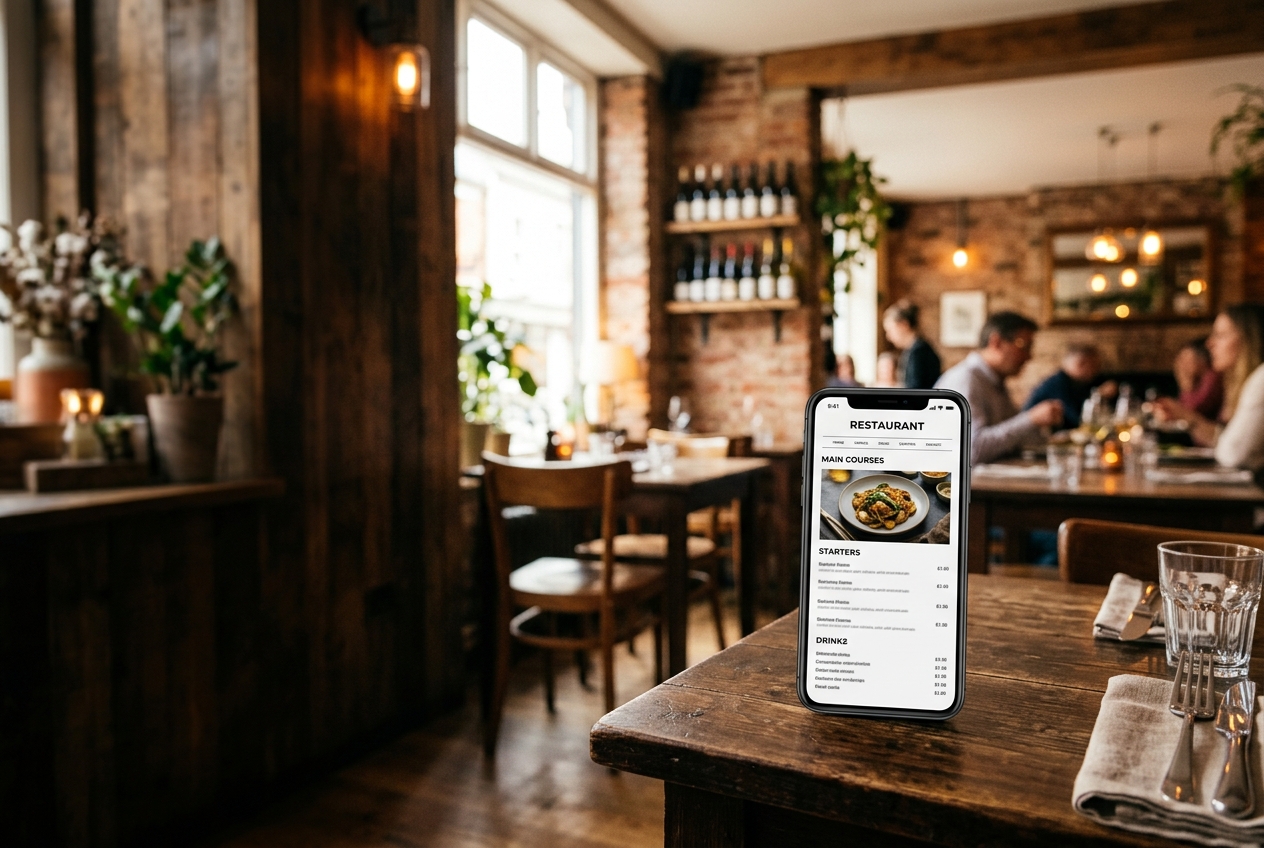
Choosing a restaurant website builder is not the same as choosing a general business website platform. A restaurant website has to do more than look attractive. It needs to show a readable menu on a phone, make hours and directions easy to find, support direct orders when needed, and help nearby diners discover the business in Google search.
The best restaurant website builder depends on your budget, technical comfort, and how much control you want over your menu and online ordering. A solo café may need a simple, low-cost site. A growing restaurant group may need reservations, menu integrations, multiple locations, and marketing tools.
This guide compares the main options, explains the trade-offs, and gives you a practical checklist for choosing the right fit.
Quick Comparison: Best Restaurant Website Builder Options
| Option | Typical Cost | Best For | Main Trade-Off |
|---|---|---|---|
| DIY builders (Wix, Squarespace) | $20 - $70 / month | Owners who want to build and edit the site themselves | Requires your time and ongoing maintenance |
| WordPress | $10 - $50+ / month, plus setup | Restaurants that want flexibility and control | Plugins, hosting, updates, and security are your responsibility |
| Restaurant-specific platforms | $150 - $500+ / month | Established restaurants needing integrated marketing and ordering tools | Higher recurring cost and possible platform lock-in |
| Freelancer or agency | $1,500 - $7,500 upfront | Owners who want a custom site handled for them | Upfront cost and possible fees for future edits |
| Free Restaurant Website | $0 | Independent restaurants that need a professional basic site without monthly fees | Optional features may be separate from the free site |
What Makes a Restaurant Website Builder Different?
A standard website builder gives you pages, images, text, and contact forms. A restaurant website needs a few additional capabilities that directly affect sales and customer experience:
- A mobile-first menu: Diners should be able to scan categories, prices, descriptions, and dietary information without downloading a PDF or pinching the screen.
- Accurate business information: Hours, address, phone number, parking details, and holiday closures need to be prominent and easy to update.
- Online ordering: If you accept pickup or delivery orders, the order button should be obvious and should not force every customer through a high-commission marketplace.
- Local search fundamentals: The site should have crawlable text, descriptive page titles, location information, and a clear connection to your Google Business Profile.
- Fast performance: A hungry customer will not wait for a heavy video background or a slow menu widget to load.
- Simple editing: Changing a price or adding a seasonal special should not require a developer every time.
If a platform misses these basics, its template library and animation effects do not make it a good restaurant website builder.
1. DIY Website Builders: Wix and Squarespace
General-purpose builders are popular because they are familiar, visual, and relatively easy to start. Wix and Squarespace both offer restaurant templates, custom domains on paid plans, responsive layouts, and integrations for forms, reservations, and ordering.
Advantages
- Low initial cost compared with hiring a designer
- Large selection of templates
- Visual editing without code
- Built-in hosting and SSL certificates
- You can make routine edits yourself
Limitations
The work does not disappear just because the platform is easy to use. You still need to choose the layout, enter and format the menu, compress photos, connect your domain, check the mobile version, and maintain the content.
Many restaurant owners also end up uploading a PDF menu because it is faster than building a proper menu page. That creates a poor experience on phones and gives search engines very little usable menu content. If your menu changes frequently, a builder can also become frustrating unless its editor is designed for restaurant data.
The advertised price may not be the final price, either. A custom domain, premium template, reservation tool, online ordering integration, email marketing, and extra storage can all add to the monthly bill.
Best fit: A hands-on owner who wants control and has time to build and maintain the site.
2. WordPress for Restaurants
WordPress gives you more control than a hosted DIY builder. You can choose your hosting company, theme, plugins, menu system, reservation tool, analytics setup, and SEO tools. It is a strong option when you have technical help or a reliable web professional managing it.
Advantages
- Flexible page and content structure
- Large ecosystem of restaurant themes and plugins
- Easier to expand into a blog, catering section, or multiple locations
- More control over hosting and site data
- Suitable for custom integrations
Limitations
WordPress is software, not a complete website service. You still need a domain, hosting, backups, security, updates, and a plan for plugin compatibility. A cheap theme may look fine in a demo but load slowly once you add menu, booking, pop-up, and ordering plugins.
Restaurant owners should be cautious about building the entire customer experience around a plugin that is no longer maintained. A broken update can affect your menu, order links, or contact forms at exactly the wrong time.
Best fit: A restaurant with technical support, a marketing team, or custom requirements that justify the additional maintenance.
3. Restaurant-Specific Website Platforms
Restaurant platforms such as BentoBox, Popmenu, Owner.com, and similar services combine a website with hospitality-focused features. Depending on the provider, you may get menu management, online ordering, reservations, email marketing, guest data, catering tools, and support from a dedicated onboarding team.
Advantages
- Restaurant-focused templates and workflows
- Easier menu and location management
- Integrations for ordering and reservations
- Professional onboarding and support
- More marketing features than a basic builder
Limitations
The convenience usually comes with a substantial monthly commitment. Some platforms also bundle ordering or marketing services into the contract, so compare the total cost rather than only the website line item.
Ask what happens if you cancel. Can you keep your domain? Can you export your menu and content? Will your ordering links continue to work? A platform that makes it difficult to leave can become expensive as your business changes.
You should also review transaction fees, customer fees, payment processing, setup charges, and the cost of adding another location. A platform can be a good investment for a busy operation, but it may be excessive for a single independent restaurant that mainly needs a menu and contact information.
Best fit: Established restaurants that will actively use the platform's ordering, reservation, marketing, or multi-location features.
4. Hiring a Freelancer or Web Agency
A freelancer or agency can build a more distinctive website and handle the parts that consume an owner's time. This is often the best route when branding matters, the restaurant has several locations, or the website needs custom functionality.
Advantages
- Custom design and stronger brand presentation
- Someone else handles technical setup
- Strategy and SEO help may be included
- Better option for complex menus, catering, events, or multiple locations
Limitations
The upfront cost can range from roughly $1,500 for a small site to $7,500 or more for a custom project. Ongoing hosting, maintenance, content updates, and support may be billed separately.
Before signing, confirm who owns the domain, hosting account, source files, photos, and written content. Also ask how quickly menu changes will be made and what they cost. A beautiful website is less useful if changing a lunch price requires a new invoice and a week of waiting.
Best fit: Restaurants with a clear brand budget, custom needs, or an owner who wants a hands-off process.
5. A Free Restaurant Website
A genuinely free option can make sense for an independent restaurant that needs a professional online home without adding another monthly bill. Free Restaurant Website provides a custom-built site with the core information diners need: menu, hours, photos, location, contact details, and a mobile-friendly layout.
The important distinction is between a free website and a free trial. A free trial expires. A freemium builder may put ads on the site or restrict the domain. A truly free service should explain how it makes money and what remains optional.
With Free Restaurant Website:
- The site build and hosting are free.
- You can connect a custom domain.
- The site does not need to display a third-party builder advertisement.
- There is no credit card, contract, or trial period required.
- Optional direct online ordering is available through SendFoodOrder when you want it.
This approach is a strong fit when the priority is a clean, fast website rather than a large software suite. If you need advanced reservations, loyalty marketing, or multi-location management, compare the free option with a paid restaurant platform before deciding.
How Much Should a Restaurant Website Cost?
The right price depends on the result you need, not the number of features in a sales brochure.
A simple restaurant website usually needs:
1. A custom domain
2. A readable HTML menu
3. Hours and location details
4. Tap-to-call and map directions
5. High-quality but compressed photos
6. An obvious ordering or reservation button
7. Basic local SEO setup
8. A way to request updates
You do not necessarily need a reservation engine, loyalty app, automated email funnel, or complex ordering system on day one. Start with the customer journey that generates the most value. Add software when it solves a real operational problem.
A $25-per-month builder costs $300 per year before add-ons. A $250-per-month restaurant platform costs $3,000 per year. A $3,000 custom site may cost less over several years than a large monthly platform, but only if you have a plan for hosting and updates. Compare three-year cost, not just the setup price.
Restaurant Website Builder Checklist
Before you choose a platform, test it from a customer's phone and ask these questions:
Menu and content
- Can customers read the menu without downloading a PDF?
- Can you show prices, descriptions, options, and dietary notes clearly?
- Can staff update a sold-out item or price quickly?
- Does the menu work well on a slow mobile connection?
Ordering and reservations
- Can customers place pickup orders directly from the site?
- What commission, transaction fee, or customer fee applies?
- Can the order button be updated if your provider changes?
- Are reservations and catering inquiries easy to find?
Search and performance
- Does each important page have a descriptive title and heading?
- Can Google crawl the menu text?
- Is your address written as text, not only embedded in an image?
- Does the site load quickly on a phone?
- Can you connect Google Analytics and Search Console if needed?
Ownership and support
- Do you own the domain and have access to the registrar?
- Can you export your content if you leave?
- What happens when your contract ends?
- Who handles security, backups, and broken integrations?
- How much do routine edits cost?
The Best Restaurant Website Builder Is the One You Will Keep Accurate
A restaurant website does not need to be complicated to work well. It needs to be accurate, fast, easy to use, and aligned with how your customers order or visit.
Choose a DIY builder if you enjoy managing the site. Choose WordPress if you have technical support and need flexibility. Choose a restaurant platform if you will use its integrated tools enough to justify the recurring cost. Choose an agency when the brand and custom experience justify a larger investment.
For independent restaurants that want a professional site without monthly website fees, get started with Free Restaurant Website. You can launch with the essentials and add direct online ordering when it makes sense for your operation.
Free Website Offer
Get a modern website for your restaurant with zero cost and no monthly fees
We design and host your menu, hours, and photos on a custom domain. Keep 100% of your food sales, with optional online ordering when you are ready.